First, find the video you want to embed. I will be using a video I made.
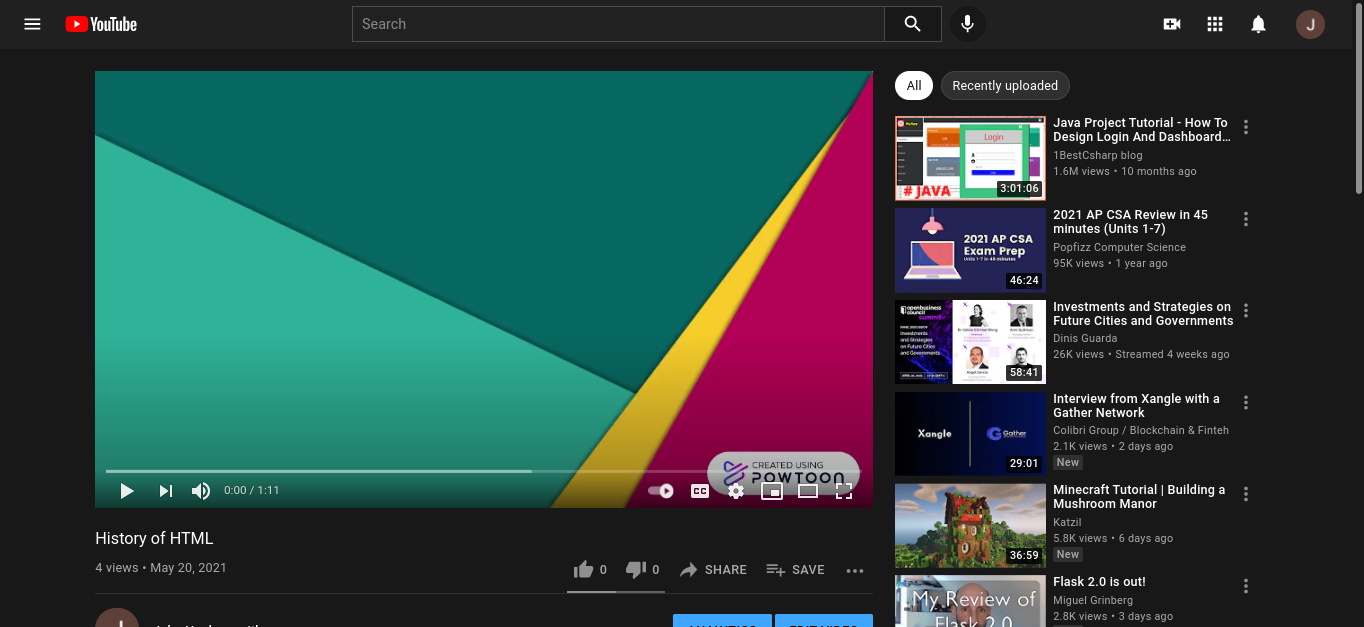
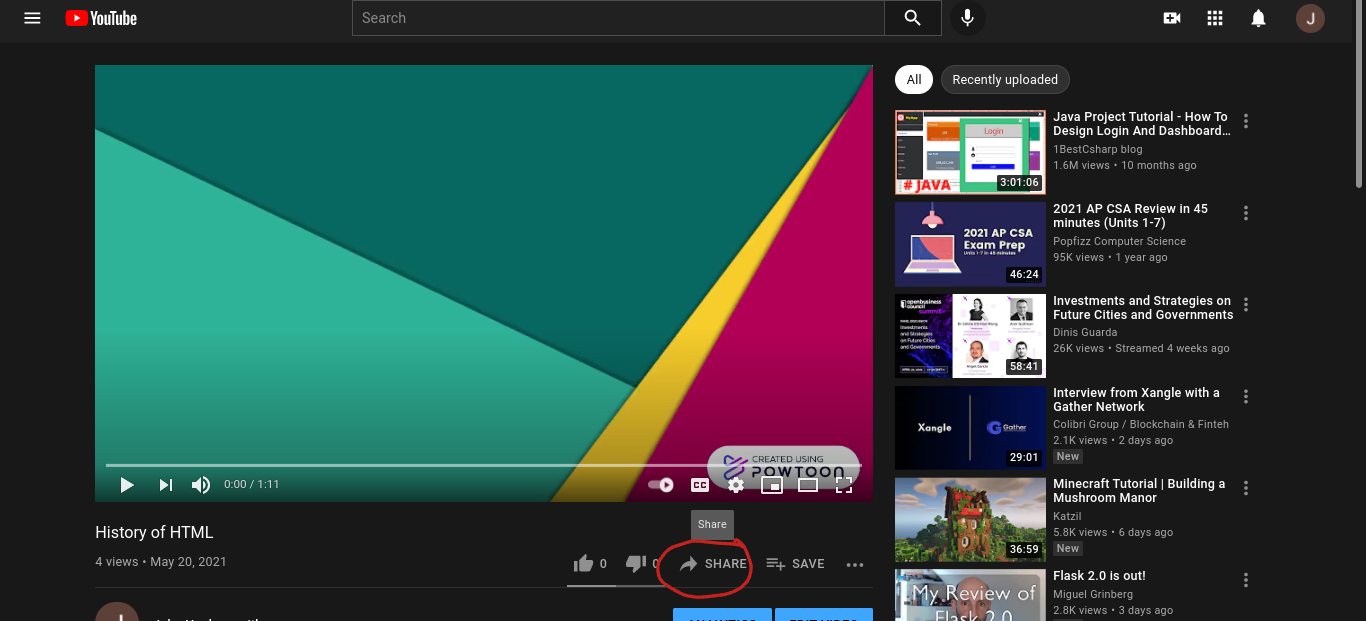
Next, click the share button.
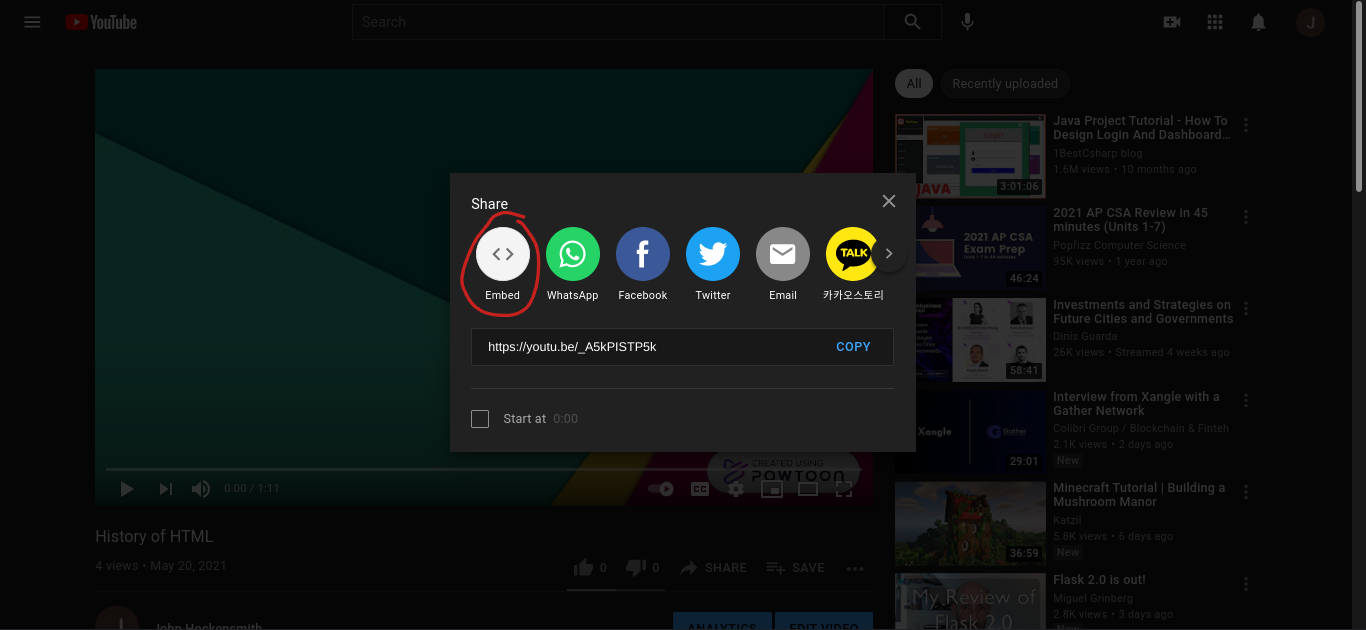
A window will pop up asking you how you would like to share. Find the Embed option.
After clicking on that option, you will see a new window asking how you would like to embed it. There are options you can mess around with if you feel like it, but when you're ready, click on the Copy option.
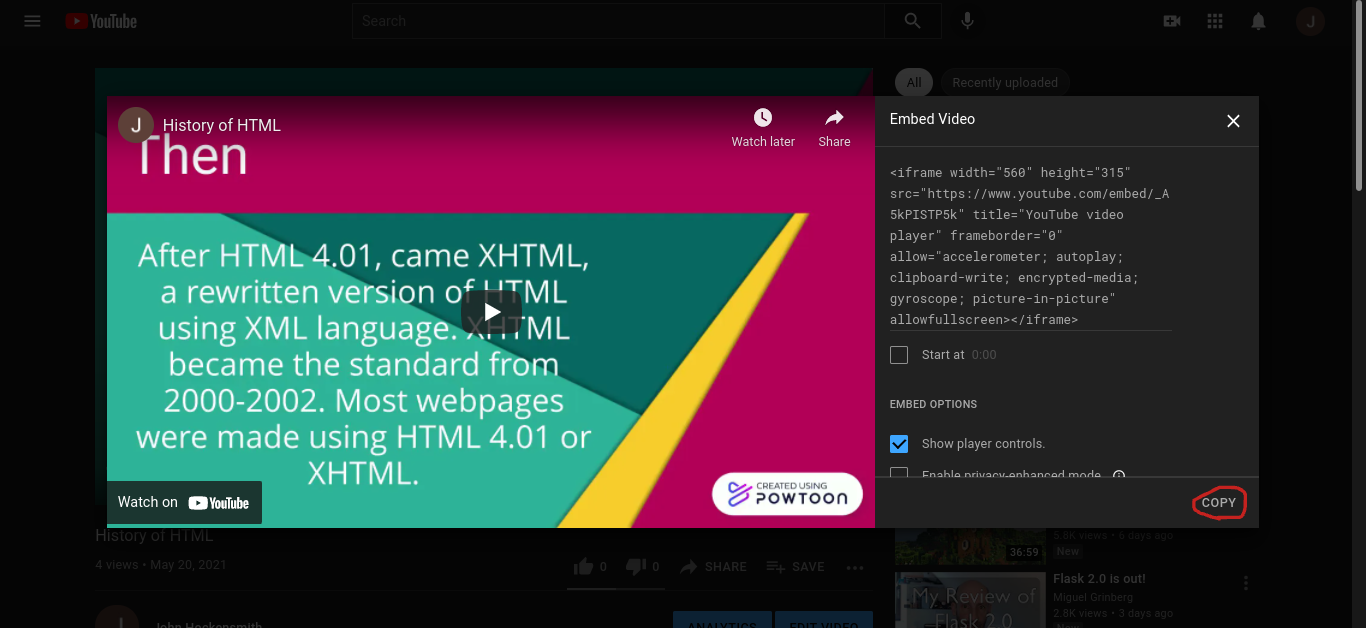
When you've clicked copy, you can return to your HTML code. Paste the code from the Embed window somewhere between the body elements.

Congratulations, you have successfuly embedded a video onto your website! Here is what it should look like.